
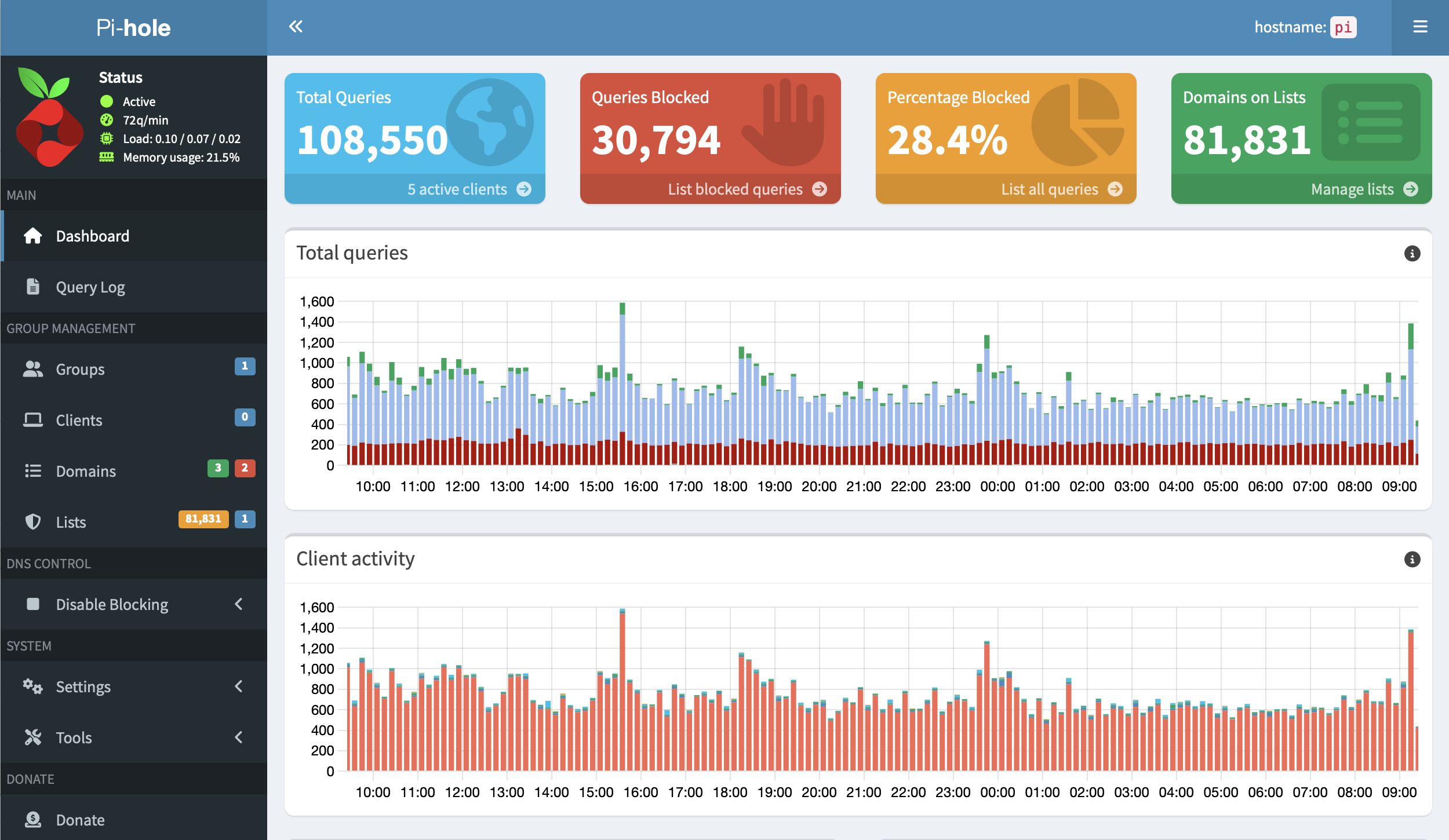
The modern internet — including the apps we use every day — has evolved into a sophisticated tracking ecosystem designed to monetise as much about you as possible.
This is really gross.
While it’s relatively easy to block ads in a web browser using ad-blocking extensions or add-ons, that only covers part of the problem. A lot more tracking happens outside the browser, inside mobile apps and in background services that most ad blockers can never see.
Every time you open apps like Instagram or Amazon, data is collected: how often you use the app, what you interact with, what you linger on or watch, where you are (if you’ve allowed location services), and much more.
Over time, these tiny pieces of information are combined into an incredibly intimate picture of your life online.
One way to take back some control is to block tracking at the network level rather than on individual devices or browsers. It won’t always be possible to block everything they track about you, as they’re sneaky about how the collect data but you can at least do something about it.
This is where Pi-hole comes in.
What is Pi-hole?
Pi-hole acts as your network’s DNS server1 and, effectively a gatekeeper for internet requests. When any device on your network tries to connect to a known advertising or tracking domain, Pi-hole blocks it before any data is exchanged. In networking, it’s called a DNS sinkhole.
With a regularly updated blocklist of thousands of known tracking and ad domains, this allows you to reduce a significant portion of unwanted network activity across all devices on your network — including phones, tablets, smart TVs, and other devices.
How do I run it?
In my network, I run it on a very old Raspberry Pi. One from 2015 but it’s more than up to the job as it doesn’t require a lot of computer power. It doesn’t have to be on a Raspberry Pi, it runs in Docker containers on lots of hardware as well as being supported on various operating systems.
You can also buy kits if you want to build your own. Something like this one from The Pi Hut.
It sounds hard!
It isn’t!
Once it’s installed, Pi-hole is mostly a set-it-and-forget-it system. It automatically updates its blocklists every week, and apart from the occasional software update, I’ve rarely had to think about it.
Taking it further
Once you leave your home network, you naturally lose the protection Pi-hole provides. To solve this, I have my devices automatically connect back to my home network over a VPN whenever I’m away.
That means whether I’m on hotel Wi-Fi, coffee shop Wi-Fi or using mobile data, my DNS requests are still filtered by the Pi-hole running at home.
- DNS is essentially the internet’s phone book. It translates human-friendly addresses like
apple.cominto numerical IP addresses like17.253.144.10that computers can understand. ↩︎